🚀 Improvement: Automatic appointment & class cancellation when freezing a subscription
Overview:
We've improved the membership freeze process to make it more convenient for both staff and members. Now, when a membership is frozen, there's an option to automatically cancel all booked classes and appointments during the freeze period.
What's New:
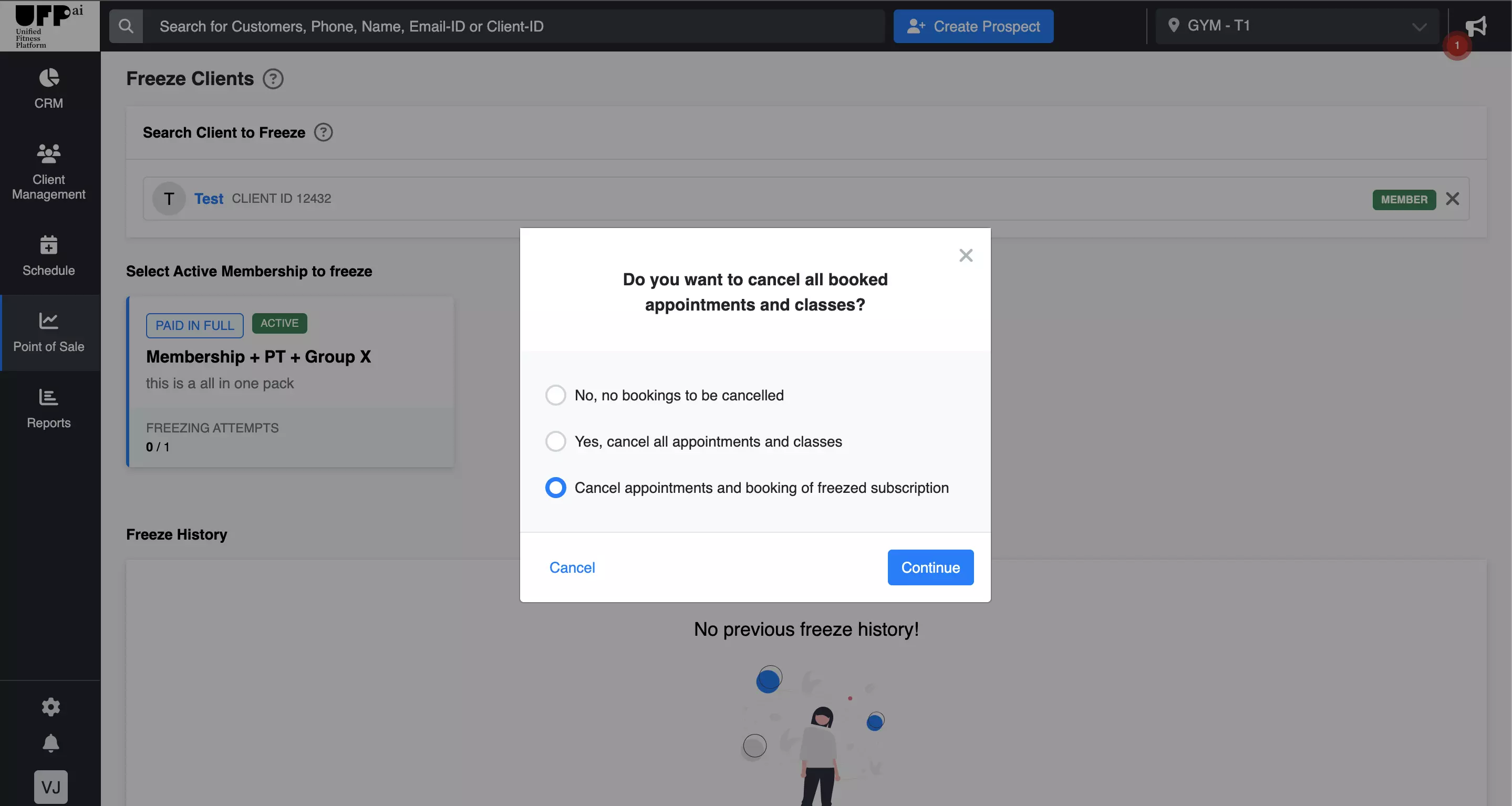
Cancellation Choices: Decide exactly how you want to handle booked sessions when freezing a membership:
Do not cancel any appointment & class bookings.
Cancel appointments and classes for all subscriptions during the freeze period.
Cancel appointments and bookings only for the subscription being frozen.
Streamlined Process: Save time and reduce manual work with automated cancellation options.
Improved Member Experience: Members don't have to worry about class or appointment conflicts during their freeze period.
How to Apply:
Go to the membership freeze options.
Select the desired freeze duration.
Choose one of the three cancellation options:
Do not cancel any bookings.
Cancel all bookings during the freeze period.
Cancel bookings only for the frozen subscription.
Confirm your selection and proceed with the freeze.
With these new options, you have the control to manage membership freezes and related bookings efficiently, ensuring a better experience for everyone involved.
For more information on utilizing these new features, please consult our help center or contact customer support.