📣 Introducing Child Profiles 🔥
Overview:
We're introducing a new feature that allows for the creation of child profiles linked to a main profile with shared contact information.
What's New:
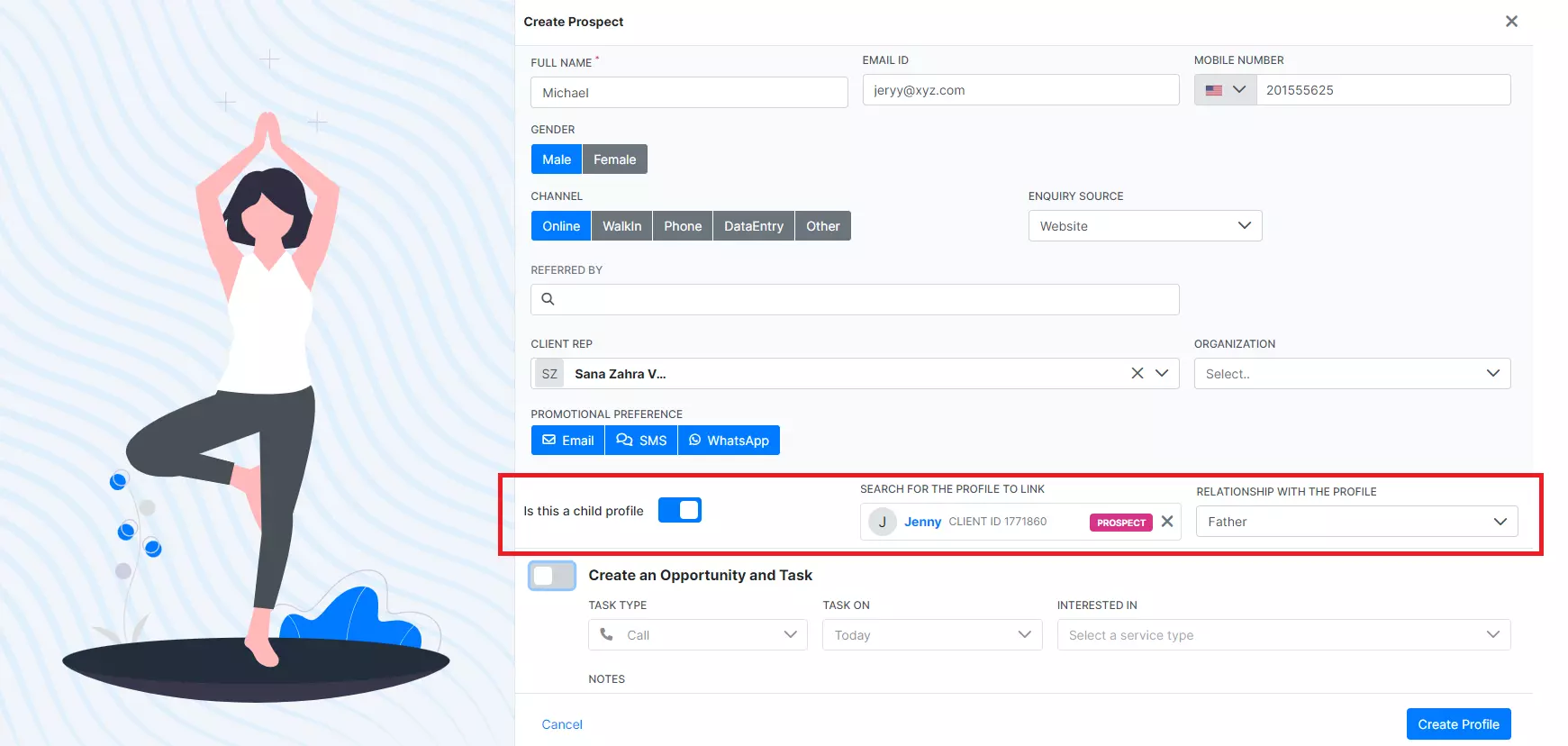
Child Profile Option: When creating a new prospect, you'll see an option to create the profile as a child profile.
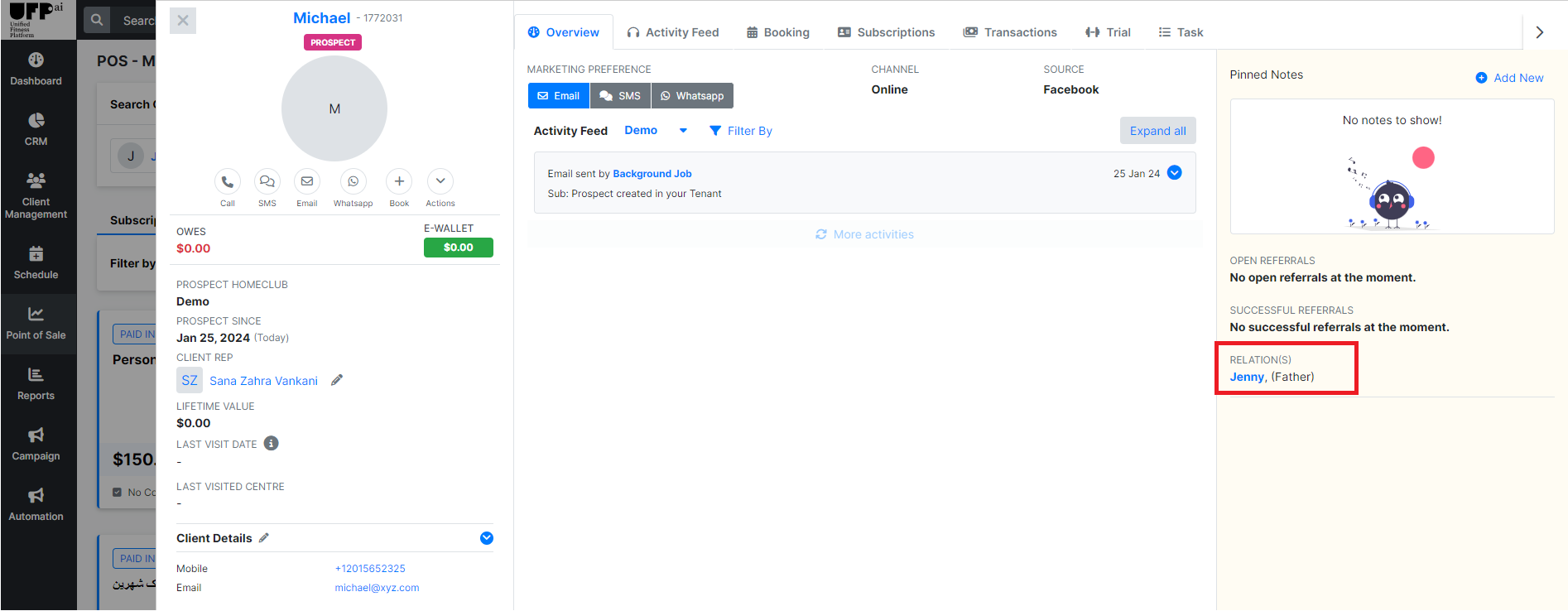
Easy Association: Link the child profile to an existing main profile and specify the relationship.
Shared Contact Info: Overcome previous limitations where duplicate contact information prevented the creation of new profiles.
How to Use:
Start creating a new prospect in the system.
Select the 'Create Child Profile' option.
Search for and select the main profile to link to.
Define the relationship to the main profile.
Complete the creation of the child profile.
Limitations:
Child profiles cannot log in to the client app.
Purchases made through the website sales module will be attributed to the parent profile only.
This feature streamlines account management for family memberships and simplifies administrative processes for your staff.
For detailed guidelines on setting up child profiles, please refer to our help center or contact customer support