
Changelog

Follow new updates and improvements to FitnessForce (UFP).

📢 Product Update & Change log Announcement
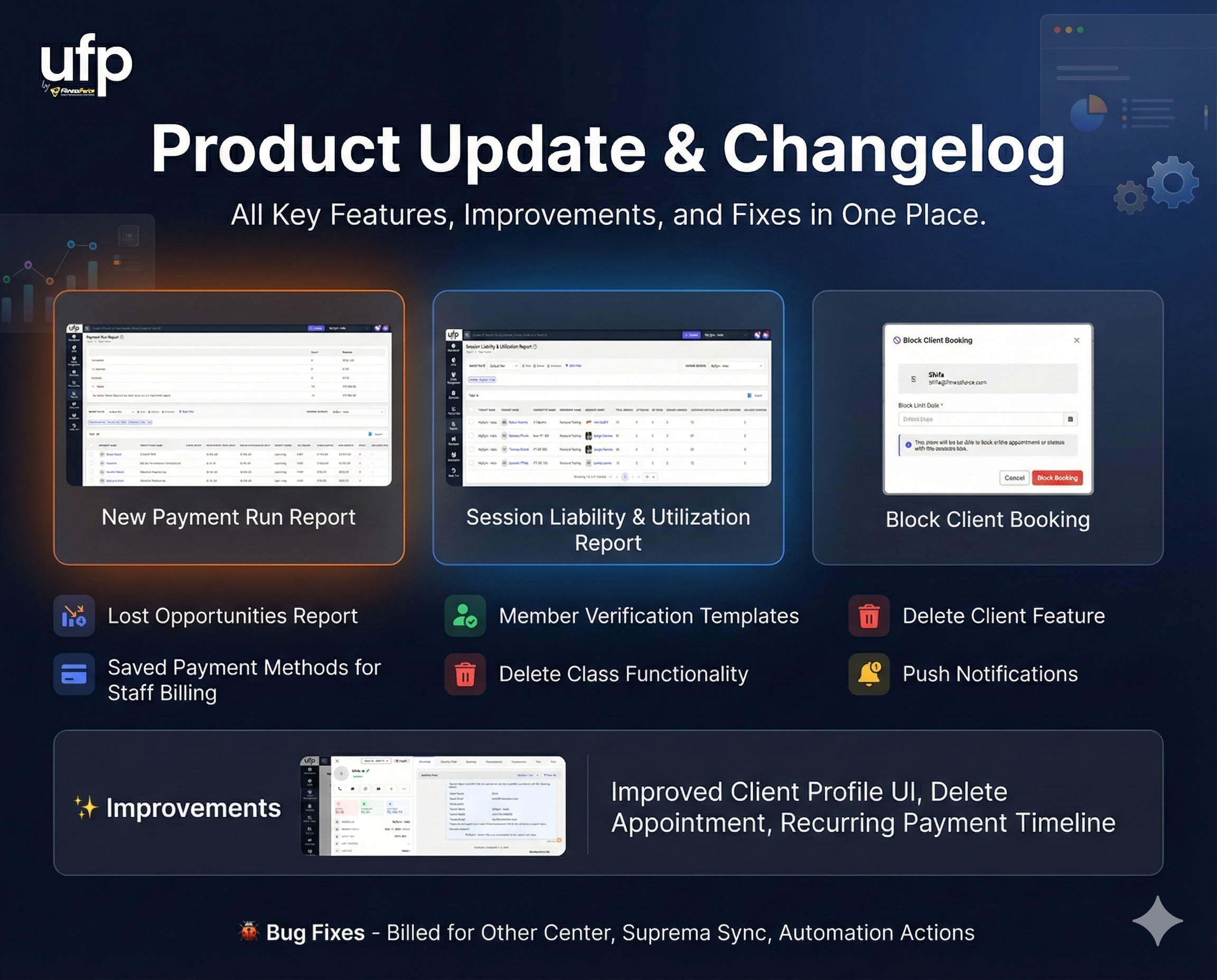
First of all, apologies for not publishing updates regularly over the past few weeks. This update is a bit longer than usual, but it brings together all the key features, improvements, and fixes that were released during that time.

Thank you for your patience—here’s everything that’s new in FitnessForce 👇


🚀 New Features

  • Lost Opportunities Report
    A new report that helps you identify and analyze all lost sales opportunities.

  • Member Self-Service Verification Templates
    New email and SMS templates added for phone and email verification during member self-service profile updates in the member app.

  • Session Liability & Utilization Report
    Gain visibility into session liabilities and usage across memberships and services.

  • Delete Client Feature
    Staff can now permanently delete a client profile (subject to permissions and validations).

  • Class Booking Access Control
    Ability to block or unblock a client from class bookings via the member app and booking widgets.

  • Saved Payment Methods for Staff Billing
    Staff can now use a member’s saved payment methods when processing billing from the staff interface.

  • Delete Class Functionality
    In addition to canceling classes, staff can now fully delete a class when required.

  • Push Notifications in Automation & Campaigns
    Push notifications are now available as an action type for Automations and Campaigns
    (Available only with white-labelled mobile apps)

  • Payment Run Report
    A powerful new report that shows:

    • Completed payment runs (collections, failures, retries)

    • Upcoming scheduled payment runs
      This helps answer questions like “How did the last payment run perform?” and “How much revenue is expected in the next run?”


✨ Improvements

  • Enhanced Client Profile Overview UI (left panel)

  • Added Delete Appointment functionality

  • Clear visual indicator for Digital Access Pass

  • Improved Class View UI for both desktop and mobile

  • Added Delete Keyfob option in the add/update keyfob flow

  • Improved Recurring Payment Timeline to show in-progress payment attempts

  • Better visibility of Recurring Token Health Status


🐞 Bug Fixes

  • Fixed issues with “Billed for Other Center”

  • Resolved Suprema face template sync issues when multiple templates exist

  • Fixed an issue when editing actions in existing automations


As always, we appreciate your feedback and encourage you to share thoughts or requests through the feedback portal. More frequent updates are coming—stay tuned! 🙌
NewImprovedFixed

🎉 Monthly Update – January 2025

We’re excited to introduce several powerful enhancements and brand-new features to elevate your FitnessForce experience:

🌟 New Features:

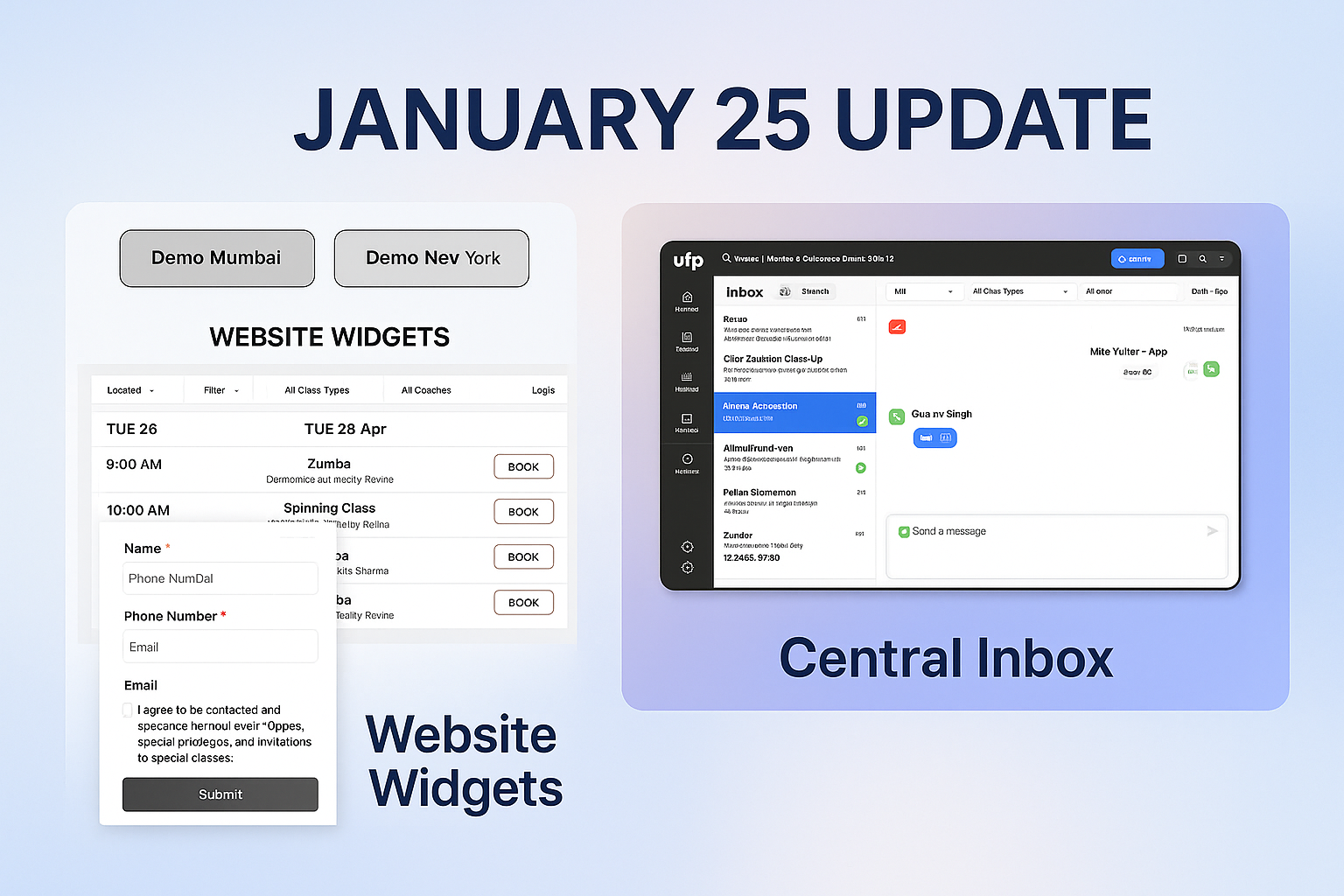
  • Website Widgets: (read more)

    • Effortlessly capture leads and class bookings directly from your website.

    • Embed or use standalone with customizable themes to match your branding.

  • Central Inbox: (read more)

    • Unified omnichannel inbox managing all client interactions.

    • Supports full two-way communication via WhatsApp, email, and SMS.

    • Now accessible even for tenants in pre-sales status.

⚙️ Enhancements:

  • Full Two-way Communication:

    • Engage seamlessly with clients through WhatsApp, email, and SMS.

  • Enhanced Trial Management:

    • Assign multiple trials to clients, useful for extending trials in special circumstances.

    • Choose between session-based trials (ideal for studios) or day-based trials (popular with gyms).

    • Improved trial booking flow for quicker, simpler client enrolment.

  • WhatsApp Session Indicator:

    • Clear Red/Green dot indicators showing WhatsApp customer service session status.

    • Freeform WhatsApp chat within active service sessions, without additional charges from Meta.

NewImproved

🌐 Website Widgets – Capture Leads and Manage Bookings Effortlessly

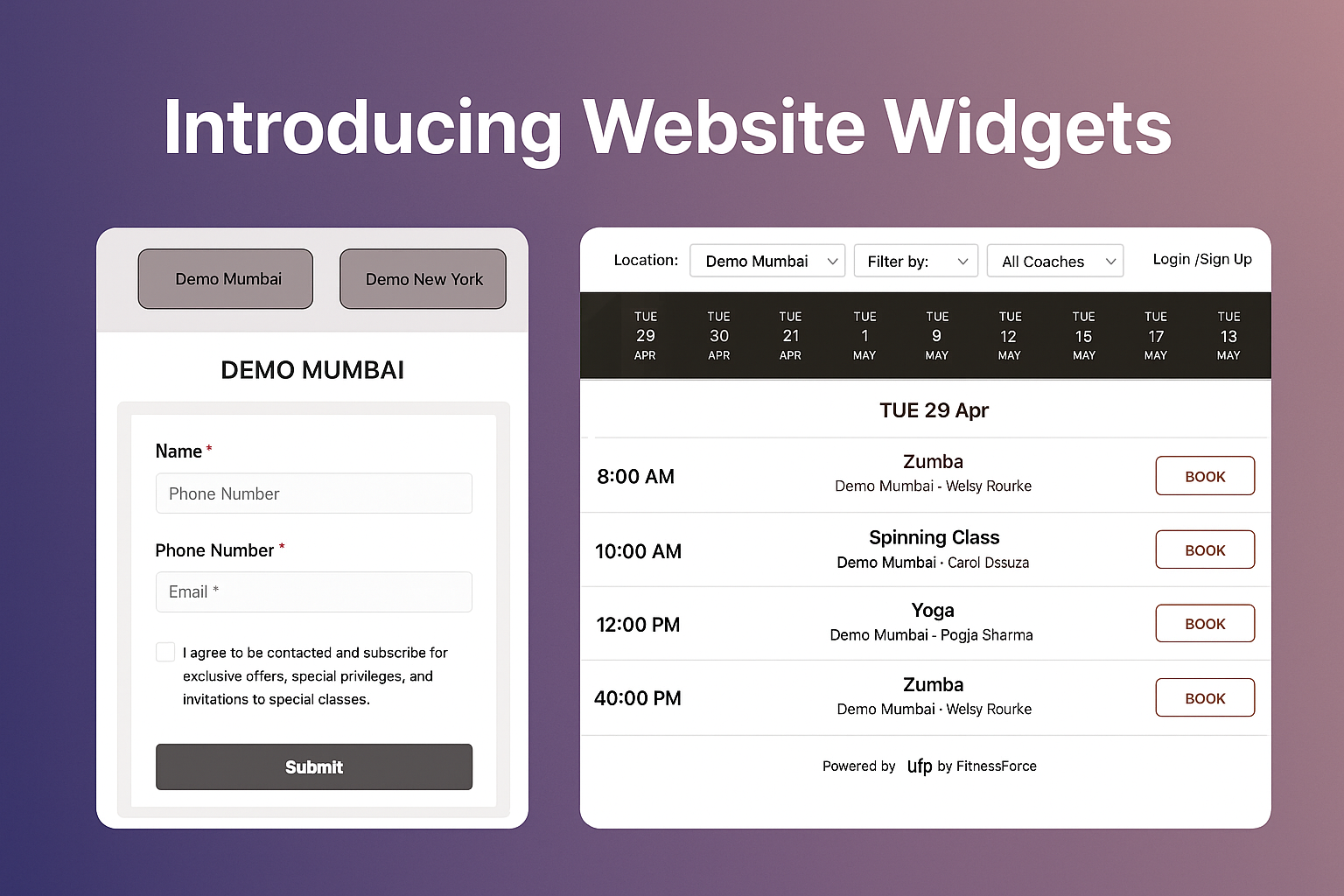
Enhance your website with powerful, customisable widgets designed to seamlessly capture leads and streamline class bookings.

🚀 Key Features:

  • Two Powerful Widgets:

    • Lead Capture Widget: Easily collect prospect information.

    • Class Booking Widget: Allow clients to book classes directly from your website.

  • Flexible Login Options:

    • Clients log in effortlessly using their email or phone number with OTP—no passwords required!

  • Fully Customizable:

    • Adjust widget colors and styles to perfectly match your website's branding and theme.

  • Versatile Deployment:

    • Embed directly onto your site or use as a standalone widget with a unique URL, ideal for offline events and promotions.

  • Single or Multi-location Setup:

    • Deploy a separate widget per location for microsites, or use a unified widget featuring a dropdown for location selection.

  • Advanced Lead Form Customization:

    • Set default values or allow overrides. For example, automatically assign leads to specific representatives or sources—ideal for tracking offline events where each staff member can have their personalized lead capture form.

  • Easy Integration:

    • Quickly embed on any platform including Wix, Squarespace, WordPress, or custom-developed websites with just a couple of lines of code.

Simplify lead management and class bookings with intuitive, customizable widgets designed to boost your engagement and streamline operations.

New

Earlier updates