How do I create a new profile in FitnessForce?
Short Answer
To create a new profile, first search in OmniSearch to check if the person already exists. If not, you can add them as a prospect by filling in their basic details like name, contact info, and other profile fields, then click Create Profile to save.
Detailed Steps
Use the OmniSearch bar at the top left to check if the member already exists.
If no profile is found, click Create Prospect on the top header of the software.
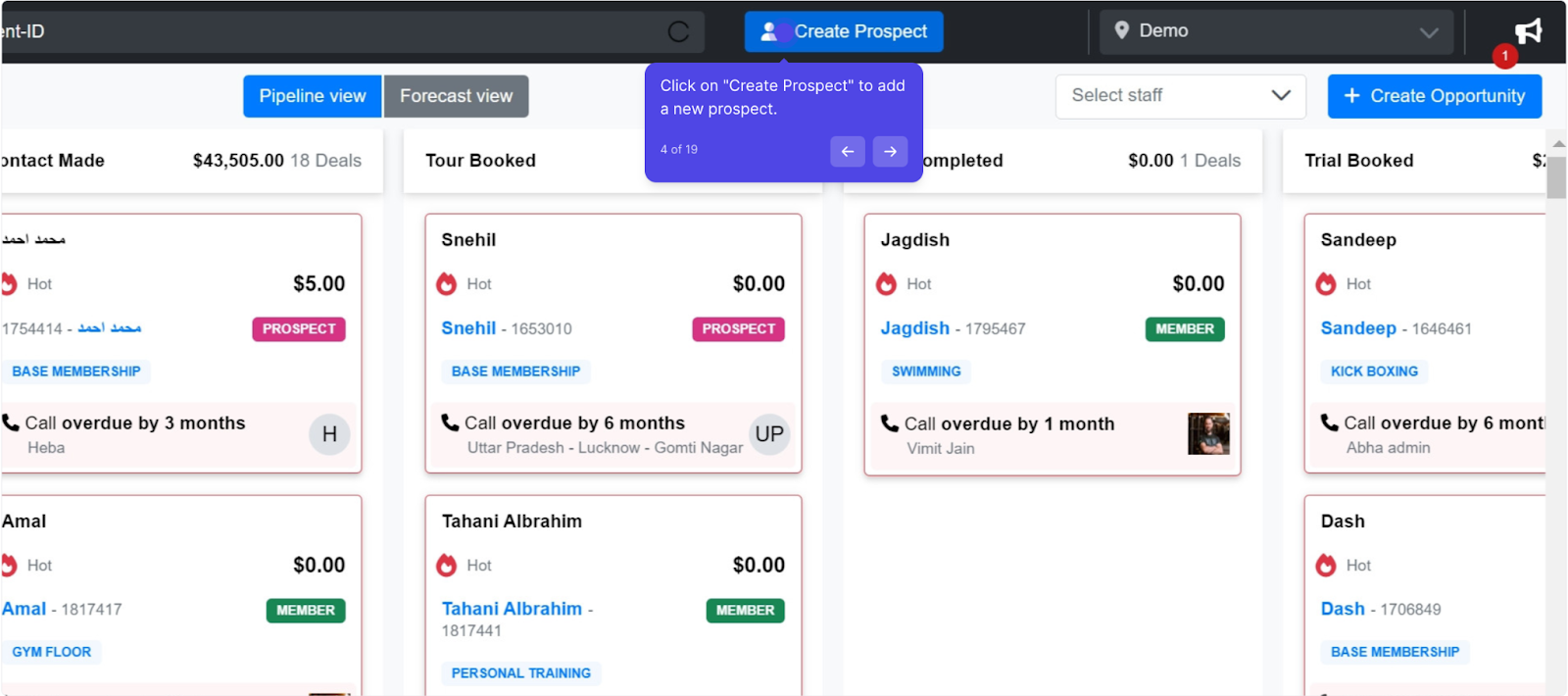
Fill in the required details:
Full Name
Email ID
Use the flag dropdown to select the member’s country.
Mobile Number (either email or mobile is mandatory to create a profile)
Set additional profile information:
Select Gender.
Choose a Channel and Source (helpful for evaluating marketing campaigns).
Enter Referred By if the member was referred (useful for rewarding referrals later).
Select the Client Rep (salesperson).
Choose the Organization if applicable (links organizational coupons to this profile).
Set Promotional Preference to control how the member receives offers and any other communications.
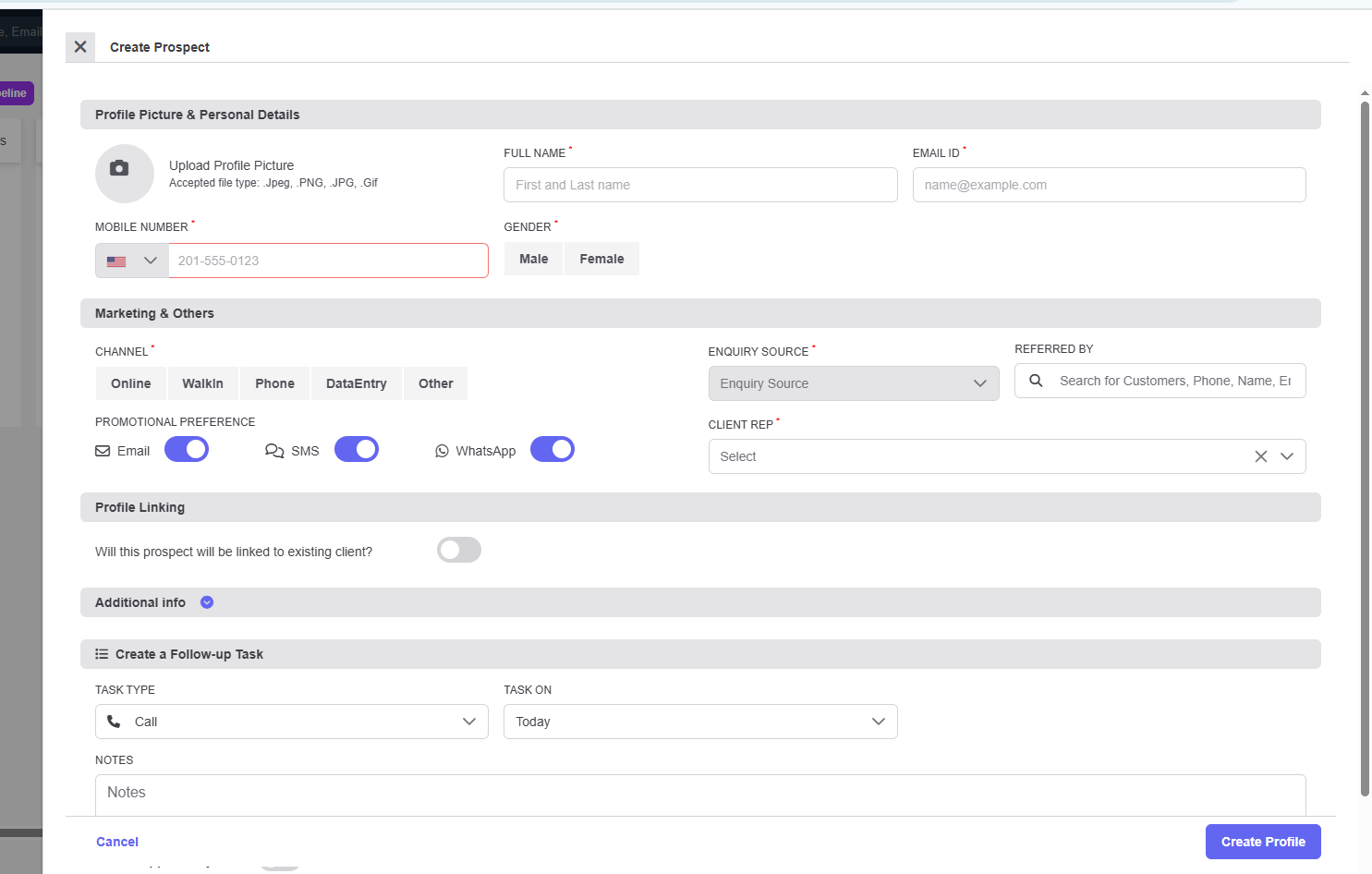
Use Link Profile if you want to connect this person with an existing profile. (This is helpful when the member doesn’t want to share different contact details, but you still need to keep their records linked.)
(Optional) Click Add an Opportunity and Task if you want to track follow-ups.
Finally, click Create Profile to save the new member.
FAQ
Q: Do I need both an email and mobile number to create a profile?
No, you need at least one valid contact detail—either email or mobile number.
Q: What is the purpose of selecting Channel and Source?
This helps track where your leads are coming from and allows you to evaluate your marketing ads more effectively.
Q: Can I edit the profile later if I miss some details?
Yes, you can always open the profile later and update or add more information as needed.
Q: When should I use Link Profile?
Use Link Profile when a member prefers not to share multiple contact details but you still want to connect their information to another profile.